
Signing up as a host on BoloUp is a lot simpler than most people expect. Your main responsibilities as a host are to go live, interact with your audience, and collect gifts, just like on most other live streaming platforms. That said, every journey begins somewhere, and this guide is your starting point. Here’s everything you need to know on how to register as a BoloUp host this year!
How to Register as a BoloUp Host
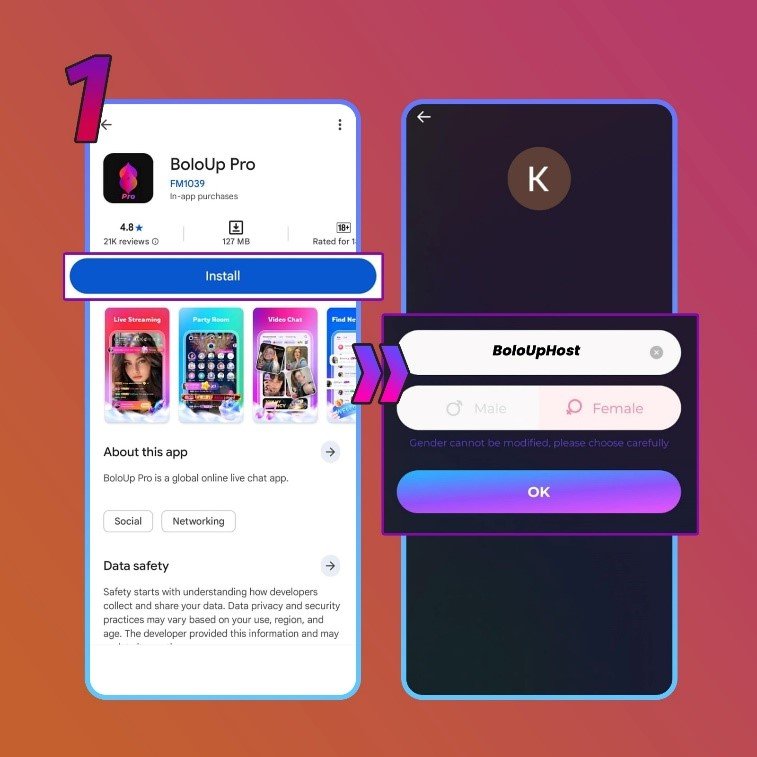
- Download the App and Create an Account
Begin by downloading the BoloUp app using this link. You’ll be taken to a website where you can grab the installer. After installation, set up your account by signing in via Google, Facebook, Telegram, or your phone number.
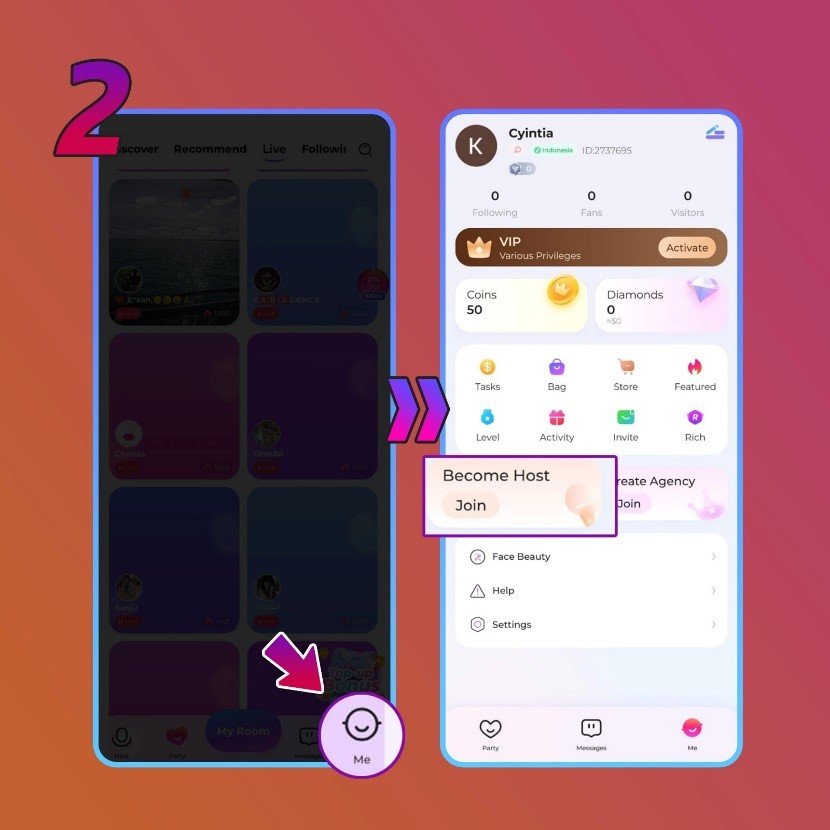
- Navigate to Your Profile
Once you’re inside the app, head over to your profile and look for the ‘Become Host’ option. When you spot it, tap the ‘Join’ button to proceed.
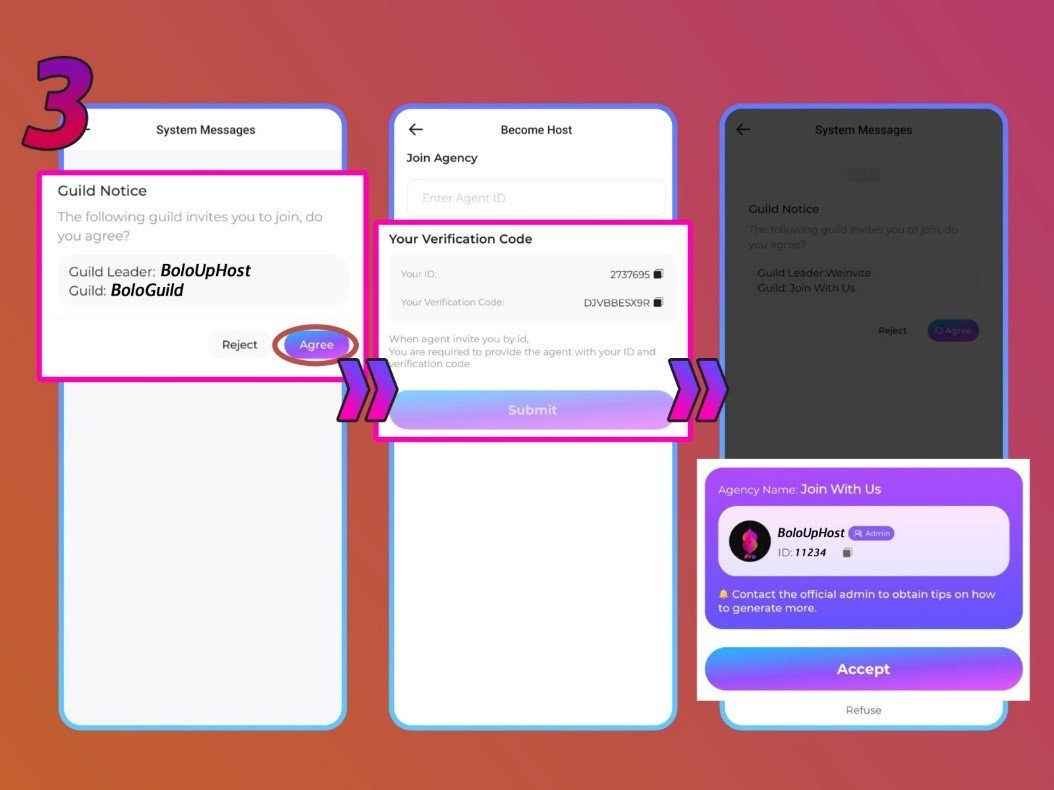
- Submit Your Agency ID
You’ll be presented with a ‘Join Agency’ form. Type in the ID of the agency you wish to join and hit ‘Submit’. The app will then show you the agency linked to that ID.
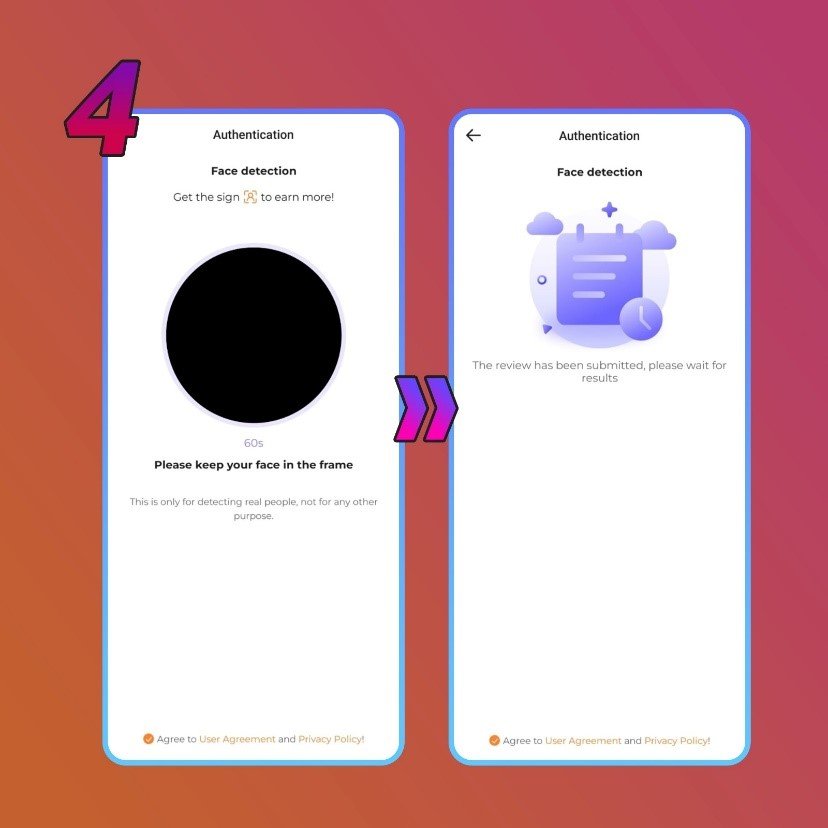
- Complete Face Verification
Head to the ‘Authentication Center’ in your profile to complete the identity verification process. You’ll need to follow a series of on-screen prompts. Approval typically takes one to three business days. Registering through an official agent can speed up this process.
Frequently Asked Questions About BoloUp Host Registration
What happens if I typed in the wrong username?
No problem at all, you can update your display name anytime through your profile settings once the account is active.
What if I signed up with the wrong account?
Your BoloUp profile is tied to the login method you used during registration. If you used the wrong one, the easiest fix is to create a brand new account with the correct credentials.
Can I run multiple host accounts on one device?
No. BoloUp only allows one registered account per device.
Is screen recording permitted on BoloUp?
No. The app has screen recording disabled by default to protect both hosts and their viewers’ privacy.
Can I change my gender or country after registering?
Unfortunately, neither field can be modified once your account is created. If you entered incorrect information, you’ll need to start over with a fresh account.
You’re Ready to Go on BoloUp!
Registering on BoloUp is quick and hassle-free, whether this is your very first time on a live streaming platform or you’re simply exploring a new one. If you’ve made it through all the steps, welcome aboard—you’re officially a BoloUp Live host! Got questions or need some help along the way? Our team is always available. And don’t forget to browse our blog for more tutorials, tips, and resources to help you hit the ground running.